Solution guide · SMS & compliance
A2P brand registration rejected: why it fails and how to fix it
A2P brand registration rejected? Every brand error code explained, with the exact EIN, legal name, address and email fixes to resubmit and get verified.

Key takeaways
- Most A2P brand rejections are an identity mismatch: the legal business name, EIN or address you entered does not match what the IRS has on file, so The Campaign Registry cannot verify you.
- Copy the legal name and EIN character for character from your IRS CP 575 letter (or a 147C letter if you have lost it), never from a W-2, W-9, DBA or website.
- A brand-new EIN can take 30–90 days to reach the databases used for verification, so a correct submission can still fail until it propagates.
- Twilio allows up to three free resubmissions of a failed Standard or Low Volume Standard brand; in GoHighLevel the fourth attempt returns “Maximum 3 tries exhausted” and needs a support ticket with your CP 575.
- Public companies must also pass Authentication+, an emailed 2FA check on a business-domain address that expires after 7 days and costs $12.50 per attempt.
A rejected A2P brand registration means carriers could not confirm that your business is who it says it is. Until the brand is verified you cannot register a campaign, and without an approved campaign no texts go out from your local numbers. The fix is nearly always the same: make the legal name, EIN and address you submitted match your IRS records exactly, then resubmit once, carefully.
This guide covers what the brand check actually verifies, every brand error code I see and what fixes each one, the new-EIN and Authentication+ traps, and how to resubmit without burning your free attempts. It is the process I follow on A2P 10DLC registration work for GoHighLevel and Twilio accounts. If your brand is approved and the campaign was rejected, you need the A2P campaign rejection guide instead.
What an A2P brand registration checks
A2P 10DLC registration has two parts. The brand says who is sending; the campaign says why. The brand goes to The Campaign Registry (TCR), whose verification partners compare it against government records. Twilio says most Standard and Low Volume Standard brand failures come from a mismatch between the details submitted — exact legal name, exact address — and the same details as registered with the tax authority.
So the reviewer is not judging your marketing. It is a data-matching exercise, and these are the fields that get matched:
| Field | What it must match | Where to copy it from |
|---|---|---|
| Legal company name | The name on your EIN record, letter for letter | IRS CP 575 or 147C letter |
| EIN (Tax ID) | The nine-digit number on the same letter | IRS CP 575 or 147C letter |
| Business type | Corporation, LLC, partnership, non-profit, public company | Your formation documents |
| Registered address | The address on your business records | State registration / IRS records |
| Website | A live site that identifies the same business | Your own domain |
| Contact and support email | A real mailbox on your business domain | Your domain’s email |
HighLevel’s brand registration guide is clear on brand type: if your business has an EIN, Tax ID, Business Number or another accepted registration number, you must register as a Standard brand. The Sole Proprietor option is only for people with no tax ID.
Gets rejected
- Avoid: Name copied from a W-9
- Avoid: Trading name as legal name
- Avoid: EIN issued last week
- Avoid: Gmail contact address
- Avoid: Sole Proprietor with an EIN
Gets verified
- Do: Name copied from CP 575
- Do: DBA in its own field
- Do: EIN old enough to propagate
- Do: Email on your own domain
- Do: Standard brand for any EIN
Every A2P brand error code, and the fix for each
In GoHighLevel, go to Settings → Phone System → Trust Center, open the rejected brand and click View required fixes for each reason. HighLevel’s rejection article explains that the modal shows the error code, its category and the correction needed. On Twilio, the code appears on the brand in the Console.
| Code | What it means | Fix |
|---|---|---|
| 30795 | Tax ID data mismatch | Make the legal name match the EIN record; never enter an SSN in the EIN field |
| 30799 | Brand details could not be verified | Update the legal name and EIN to match your tax documents |
| 30758 | Business registration identifier missing | Add the EIN (or international tax ID) to the business profile |
| 30754 | Invalid postal address | Correct the street address to match your business records |
| 30712 | Maximum registrations reached | The EIN is on too many brands; remove duplicates, keep one |
| 30918 | DBA does not match the legal name | Add the DBA in the brand’s DBA field, then resubmit |
| 30971 | Contact email on a personal domain | Use an address on your business domain |
| 30881 | Support email invalid or on a public domain | Use a working mailbox on your business domain |
| 21736–21741 | Authentication+ 2FA failed or expired | Re-send the 2FA email to a business-domain inbox and click it within 7 days |
| 30794 | General error | Follow any more specific code shown alongside it |
| 30790 | Internal system error | Retry later; contact support if it repeats |
Codes 30918, 30971 and 30881 are how HighLevel labels them in the Trust Center; the rest are from Twilio’s brand troubleshooting page and error dictionary (as of November 2026). The 2FA codes come from Twilio’s Authentication+ changelog.
Fix 1: the legal name or EIN does not match (30795, 30799)
This is the big one. Twilio’s brand best practices say the legal name and EIN must exactly match the IRS CP 575 EIN confirmation letter, and warn not to use the name on a W-2 or W-9 because those can differ. A DBA, a trade name, or your messaging provider’s name in the legal-name field are listed as common errors.
- Find your CP 575. It is the letter the IRS sent when it assigned your EIN. The IRS explains the CP 575 notice here. If you cannot find it, request a 147C EIN verification letter from the IRS — HighLevel and Twilio both accept it.
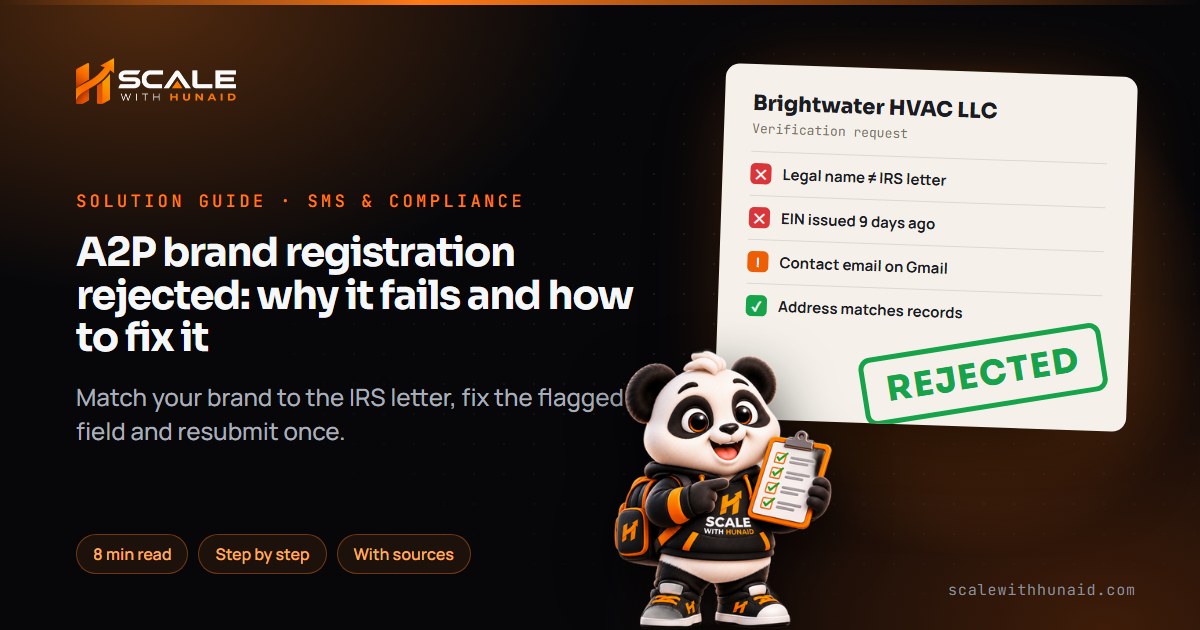
- Copy the name exactly. Include “LLC”, “Inc.”, commas and full stops exactly as printed. “Brightwater HVAC, LLC” and “Brightwater HVAC LLC” are not the same string.
- Copy the EIN with no typos. Never put a Social Security Number in this field — that alone triggers 30795.
- Upload the CP 575 in HighLevel. In the brand form, uploading the CP 575 auto-fills the legal name, EIN and registered address, which removes most typing errors.
- Check the business type matches your entity (an LLC is not a corporation; a non-profit must match the IRS tax-exempt list).
- Resubmit once from the Trust Center.
Fix 2: the EIN is too new
A correct submission can still fail if the EIN is brand new. HighLevel lists an EIN less than 15 days old as a common rejection reason, and Twilio says new EINs can take 30–90 days to propagate across the databases used for validation.
- Do not burn resubmissions. Re-sending identical details before the EIN propagates just uses up a free attempt.
- Wait a few weeks, then resubmit with the CP 575 details.
- If it is urgent, open a support ticket (HighLevel or Twilio) asking for a manual review, and attach the CP 575 or 147C letter.
- Use email and calls in the meantime — unregistered 10DLC texts are blocked.
Fix 3: email, address and DBA problems (30971, 30881, 30754, 30918)
These are quicker to fix because they are under your control.
- Contact email (30971): replace any Gmail, Yahoo or Outlook.com address with one on your business domain, such as
[email protected]. HighLevel’s fix is exactly that. - Support email (30881): use a working mailbox on the same business domain. If your email domain differs from your website domain, explain why in the campaign description.
- Address (30754): use the street address on your business records, written the same way. For Sole Proprietor brands, HighLevel does not allow P.O. boxes.
- DBA (30918): keep the legal name in the legal-name field and put the trading name in the DBA field. Then make sure the website, privacy policy, terms and opt-in text all show “Legal Name DBA Trading Name” consistently.
- Website: make sure it is live, public, identifies the same business and links a privacy policy and terms.
Fix 4: public companies and Authentication+
If you registered the brand as a public company, there is an extra step. Twilio’s Authentication+ article explains that a 2FA email goes to the brand contact email, which cannot be a free or personal domain or a distribution list, and the recipient has 7 days to click the link. Historic public, for-profit brands had until 30 January 2026 to complete it.
- Check the company type. A private LLC registered as “public” by mistake will be asked for Authentication+ — correct the type instead.
- Set the brand contact email to a named person’s inbox on the company domain.
- Re-send the 2FA email and click the link within 7 days. Errors 21737 and 21741 mean it expired; 21738 means it bounced; 21736 and 21740 mean the domain could not be verified.
What brand registration and resubmission cost
Twilio’s troubleshooting page says a failed or unverified brand can be resubmitted up to three times for free; a fourth update is refused with error 21724. Twilio warns these may carry a fee in future because partners charge per resubmission. The underlying TCR fees, as of November 2026:
Low Volume Standard brands skip secondary vetting and pay only the $4.50 registration fee. The $15 campaign vetting fee is separate.
Source: Twilio, Pricing and Fees for A2P 10DLC Service (TCR fees from 1 August 2025)
Twilio’s secondary vetting page confirms the $41.50 fee applies to Standard brands only. In GoHighLevel, the one-time registration bundle is $22.50 for Sole Proprietor and Low Volume Standard brands or $64 for High Volume Standard, covering brand, campaign and vetting.
Resubmitting a rejected brand: step by step
Resubmissions are limited, so treat each one as final. Here is the order I work in:
- Read every reason in Trust Center → View required fixes, not just the first one.
- Pull the CP 575 or 147C and compare it field by field with the brand form.
- Fix the website and email first — reviewers check what is live.
- Correct every flagged field in one go, including the DBA and business type.
- Resubmit once and wait for the result before touching anything else.
- If you see “Maximum 3 tries exhausted”, stop. HighLevel’s best-practice article says to send the CP 575 (or 147C) to support, with the legal name and EIN exactly matching it.
- 1Read every reasonTrust Center, View required fixes.
- 2Pull the IRS letterCP 575, or a 147C if it is lost.
- 3Match name and EINCharacter for character, no DBA.
- 4Fix email and siteBusiness domain, live website.
- 5Resubmit onceThree free tries, then support.
- 6Then the campaignOnly after the brand is verified.
Getting your brand verified and texting again
A brand rejection feels like a judgement on your business, but it is a records check. Once the name, EIN, address and email line up with your IRS letter and your domain, brands verify. The usual reasons for repeated failure are a W-9 name, a trading name in the legal field or resubmitting a new EIN too early.
When I handle A2P 10DLC registration, I check the brand against the IRS letter before anything is submitted, then build the campaign, opt-in and privacy policy so it goes through first time. Once you are approved, keep messages compliant: the SMS error 30007 guide covers carrier filtering, and states such as Florida add their own texting rules. If your texting runs on toll-free numbers instead, see the toll-free verification guide. And if the rest of your GoHighLevel setup needs work, that is where I start.

References
- A2P Brand Registration Guide for 10DLC in HighLevel — HighLevel Support Portal
- A2P 10DLC Brand Approval Best Practices — HighLevel Support Portal
- Understanding A2P Campaign Rejection Reasons & Required Fixes — HighLevel Support Portal
- A2P Sole Proprietor Brand Registration Guide for 10DLC — HighLevel Support Portal
- A2P 10DLC Messaging Fees: Registration, Monthly and Carrier Costs — HighLevel Support Portal
- Troubleshooting A2P 10DLC Standard/LVS Brands — Twilio Docs
- 30795: Brand Registration: Tax ID data mismatch — Twilio Error Dictionary
- A2P 10DLC Brand Approval Best Practices — Twilio Help Center
- Authentication+ for Public Brand A2P 10DLC Registrations — Twilio Help Center
- Brand Registration — Authentication+ 2FA Verify — Twilio Changelog
- Pricing and Fees for A2P 10DLC Service — Twilio Help Center
- Understanding A2P 10DLC Standard Brand Secondary Vetting Pricing — Twilio Help Center
- Understanding your CP575 notice — IRS
- Business name change — IRS