
Solution guide · SMS & compliance
GoHighLevel SMS error 30007: why carriers filter your texts and how to fix it
GoHighLevel SMS error 30007 means a carrier filtered your text. Find the cause — links, consent, wording, registration — and fix it step by step.

Key takeaways
- Error 30007 means a carrier or the LeadConnector filter blocked the text as unwanted, spammy or non-compliant; it is not an outage, and resending the same message makes it worse.
- The most common causes are public link shorteners such as bit.ly, missing sender name or STOP wording, texting people without consent, and an unregistered or unverified sending number.
- Replace public short links with a branded subdomain (the HighLevel API domain), name the business in every first message and include “Reply STOP to opt out” at least once every 30 days.
- Keep the opt-out rate under 1%; Twilio warns that above 3% carrier filtering becomes likely.
- If compliant messages still fail, send HighLevel Support three 30007 examples from the last seven days with each conversation URL.
GoHighLevel SMS error 30007 means your text was filtered: LeadConnector’s own filter or the recipient’s carrier blocked it because it looked unwanted, spammy or non-compliant. Nothing is broken in HighLevel. Something in the message, the sending number or the way you got the contact’s consent tripped a filter, and the fix is to find that thing and change it — not to press resend.
In this guide I show you how to read the error, then work through the six causes I find most often when I audit accounts, each with the exact change to make. It is the same process I use when I repair email and SMS deliverability for clients.
What error 30007 means in GoHighLevel
Twilio describes 30007 as “Message filtered”: the message was blocked by Twilio or the carrier for breaking messaging policy or carrier rules. HighLevel’s 30007 article puts it in plainer terms — carrier filtering happens when messages “appear to be unwanted, spammy, or non-compliant with carrier or legal policies”.
Three things are worth knowing before you start:
- Filters are automated and private. Twilio says carriers use machine-learning filters that weigh content, volume and similarity to known spam, and that opt-outs and complaints play a major role. No carrier will tell you which word did it.
- Each carrier filters differently. The same text can reach a Verizon customer and be blocked on T-Mobile.
- Filtered messages still cost money. Twilio’s filtering FAQ notes filtered messages are billed, and carriers sometimes report a filtered message as delivered, so a “delivered” status is not proof it arrived.
Is it really 30007? Check the code first
Several SMS errors look alike in the Conversations tab. Hover over the failed message to see the code, then use this table — only 30007 is a content and consent problem.
| Code | What it means | Where to fix it |
|---|---|---|
| 30007 | Filtered as spam or non-compliant | Message content, links, consent, sending pattern |
| 30034 | 10DLC number not on an approved A2P campaign | Trust Center → A2P campaign |
| 30032 | Toll-free number not verified | Toll-free verification |
| 30023 | T-Mobile daily limit reached for your brand | Wait for reset, or raise your Trust Score |
| 21610 | Recipient replied STOP / opted out | Contact must opt back in |
| 30003 / 30005 / 30006 | Unreachable, unknown or landline number | Clean the number from your list |
Sources: HighLevel’s SMS error guide, Twilio’s T-Mobile limits article and Twilio’s toll-free best practices.
Cause 1: public link shorteners and redirects
This is the cause I see most. A bit.ly, TinyURL or rb.gy link is shared by millions of senders, including spammers, and hides where it goes. HighLevel’s shortened URL article says AT&T blocks public shorteners outright and T-Mobile discourages multiple redirects and prohibits rotating domains to get past filters. Twilio says public shorteners carry a higher filtering risk “with no recourse”, and carriers expect the link domain to match the business named in the text.
Fix — use a branded link domain:
- Pick a subdomain of your own website, such as
links.yourbusiness.com. Don’t use the root domain. - In your DNS, add a CNAME record: name
links, targetbrand.ludicrous.cloud— the target HighLevel gives for the API domain as of October 2026. On Cloudflare, set it to DNS only (grey cloud). - For one client, go to the sub-account’s Settings → Business Profile, enter the subdomain in Branded Domain, click Add Domain, then Update Information. For every sub-account, an agency admin can set it under Agency Settings → Company → Whitelabel → Domains. The sub-account setting overrides the agency default.
- Re-insert links in your SMS templates as trigger links or system links so they use the new domain, and remove every bit.ly or TinyURL link.
- Keep each link to one redirect at most, and never send a link that lands somewhere other than your business’s site.
If you can’t set up a domain today, paste the full URL of your own website instead of shortening it.
Cause 2: no sender name and no STOP wording
A text that does not say who it is from, or gives no way to opt out, looks like spam to a filter. HighLevel’s 30007 guidance says to include the sender’s name and opt-out instructions, and to include STOP wording at least once every 30 days for contacts you text regularly. Twilio adds that non-standard wording such as “text 2 to opt out” is not compliant and will be filtered.
Fix — rewrite the template:
- Start every first message and every marketing message with the business name: “Hi
{{contact.first_name}}, it’s Brightside Window Cleaning.” - End it with the standard wording: “Reply STOP to opt out.” Don’t invent alternatives.
- Send the new version to one test number on a different carrier from your own before restarting the campaign.
Cause 3: wording that reads like spam
Filters look at style as well as words. HighLevel lists emojis, excessive punctuation, ALL CAPS and misspellings as risks.
Fix — use this before-and-after as your model:
| Filtered (30007) | Delivered |
|---|---|
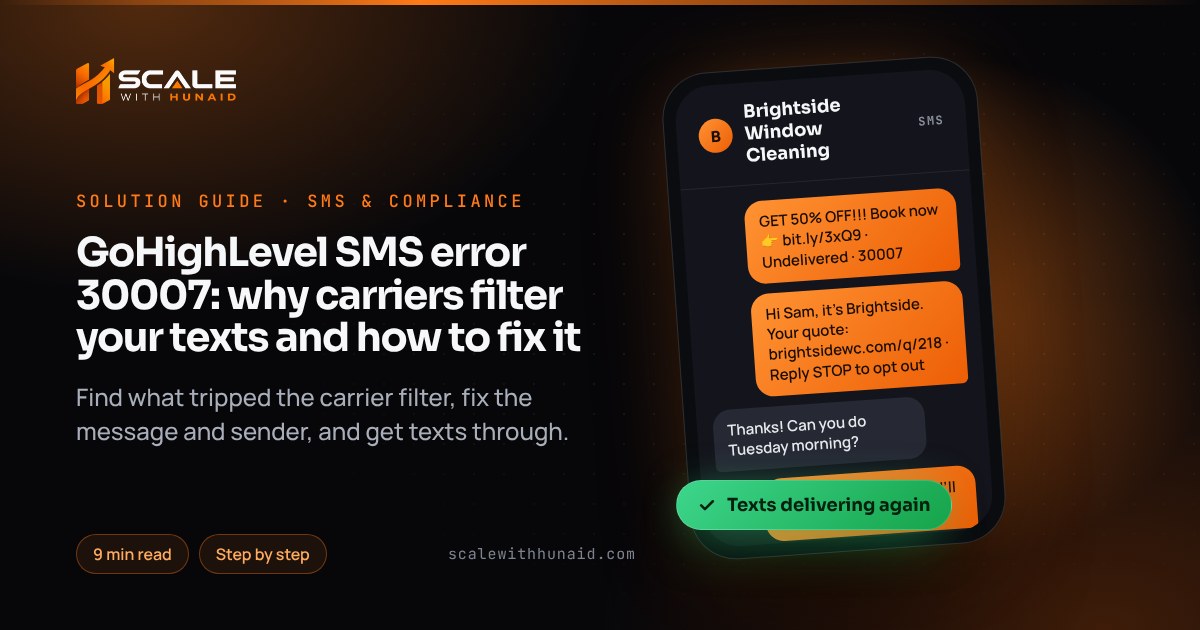
| GET 50% OFF!!! Book now 👉 bit.ly/3xQ9 | Hi Sam, it’s Brightside Window Cleaning. 50% off a second visit booked this month: links.brightsidewc.com/offer Reply STOP to opt out |
| FREE QUOTE — act fast, limited spots!!! | Hi Sam, your window cleaning quote is ready: links.brightsidewc.com/q/218 Reply STOP to opt out |
- Write in sentence case with one exclamation mark at most.
- Remove emojis from marketing texts.
- Avoid misspelled words like “fr33” — filters treat them as deliberate evasion.
- Personalise with the first name, so a hundred messages aren’t byte-for-byte identical.
Cause 4: texting people who never opted in
This is the cause filters punish hardest, because recipients complain and reply STOP. The CTIA Messaging Principles say messages should only be sent after the consumer has opted in, that consent applies only to the sender and campaign it was given for, and that opt-in lists should not be rented, sold or shared. Twilio’s Health Score treats an opt-out rate under 1% as healthy and warns that above 3% “may lead to carrier filtering”.
Fix — clean the list and capture consent properly:
- Stop texting any bought, scraped or shared list. Delete it from your SMS campaigns.
- Build a smart list of contacts with a recorded consent source (form submission, inbound text, booking) and send only to that list.
- Add an unticked SMS consent checkbox to every HighLevel form, naming your business and the kind of messages they’ll get. HighLevel’s guidance also suggests reconfirming opt-in every 18 months for contacts you rarely text.
- Check your opt-out rate after each send: STOP replies ÷ delivered messages. Above 1%, slow down and tighten targeting; above 3%, stop and fix it before sending again.
Consent rules for marketing texts also vary by state — Florida, for example, has its own telemarketing law — so check the state page for where you operate. This is not legal advice.
Cause 5: the sender isn’t registered, or its campaign doesn’t match
HighLevel says US traffic needs A2P 10DLC registration and toll-free numbers must be verified before sending to US or Canadian recipients. An unregistered 10DLC number usually fails with 30034, but a registered number can still hit 30007 when the messages don’t match what the campaign declared — for example, promotions sent on a campaign registered for appointment reminders only.
Fix:
- Go to Settings → Phone System → Trust Center and check the brand and campaign status on the A2P Messaging (SMS) card.
- Under Phone Numbers, confirm each sending number shows A2P Verified and is linked to the campaign.
- Compare your live templates with the campaign’s use case and sample messages. If you now send marketing, register a campaign that covers it — my A2P campaign rejected guide covers what reviewers look for.
- Don’t spread one campaign across many numbers to get round filtering. HighLevel lists this as a practice to avoid, and carriers treat it as snowshoeing.
Cause 6: big bursts of identical messages
A list of 5,000 people all receiving the same text in one minute looks like a spam blast. Volume limits are separate from filtering — exceeding T-Mobile’s daily cap returns 30023, not 30007 — but the cap shows how much carriers trust your brand. Twilio’s T-Mobile limits article ties it to your brand’s Trust Score, shared across every campaign under the same EIN.
Messages per day to T-Mobile subscribers, per EIN; Sole Proprietor campaigns are capped at 1,000. Going over returns error 30023.
Source: Twilio Help Center, T-Mobile Daily Message Limits for A2P 10DLC (2026)
Fix — pace the send:
- For a one-off send from Contacts, select the list, choose the bulk SMS action and switch on Drip Mode: set Batch Quantity (I start with 100–250), Repeat After (for example 15 minutes) and Process Between to daytime hours.
- In workflows, add the Drip action before the SMS step, with a batch size and interval, so a big trigger doesn’t send hundreds of texts in the same minute.
- Personalise each message (first name, appointment time), so they aren’t identical.
- Send during the recipient’s daytime, when replies come in and complaints don’t.
Not sending to the US? Check country rules
Since 1 April 2026, HighLevel reports that Turkish operators block international A2P SMS containing URLs, and these fail with 30007. A shortened link doesn’t get round it — send those texts without a link. Other countries have their own rules, so check HighLevel’s international compliance articles before texting abroad.
Catch 30007 automatically and get help when it’s a false positive
You should know about filtering the day it starts, not when a client asks why nobody replied.
Fix — build an alert workflow:
- Go to Automations → Workflows → Create Workflow.
- Add the trigger Messaging Error – SMS and a filter Error Code is 30007 – Carrier Violation, as shown in HighLevel’s trigger article.
- Add Add Tag
sms-filtered, then Internal Notification to the account owner with the contact name and the message. - Optionally add Send Email to the contact if they have an email address, so the follow-up still reaches them.
- Publish it.
If compliant messages still fail, collect at least three recent 30007 examples from the past seven days with each conversation URL and send them to HighLevel Support, as HighLevel asks. Include where each contact opted in. Twilio’s own process likewise asks for at least three message SIDs.
Common mistakes to avoid
- Retrying the same message. Change the cause first, then send one test.
- Swapping bit.ly for another public shortener. Every shared shortener carries the same risk; only your own domain fixes it.
- Adding more numbers to spread the load. Carriers see it as evasion.
- Trusting “delivered”. Carriers sometimes report filtered messages as delivered — test on a real phone.
- Fixing content but not consent. Clean copy sent to a cold list still draws STOP replies and complaints.
Get your texts delivered again
Error 30007 is fixable once you know which of the six causes tripped the filter — usually a public link, missing STOP wording or a cold list. If you’d rather hand it over, I audit and repair it as part of email and SMS deliverability, handle A2P 10DLC registration so your campaign matches what you send, and set up consent capture and paced sending in a GoHighLevel CRM setup. If your missed call texts are the ones failing, my missed call text back guide covers the rest.

References
- How to Prevent SMS Filtering by Carriers: Error 30007 — HighLevel Support Portal
- LC Phone System: Error Codes and Warning Dictionary — HighLevel Support Portal
- Shortened URLs and SMS Deliverability — HighLevel Support Portal
- How to Brand System-Generated Links (API Domain) — HighLevel Support Portal
- Set Up Drip Mode for Bulk Actions in HighLevel — HighLevel Support Portal
- Workflow Action — Drip — HighLevel Support Portal
- Workflow Trigger — Messaging Error Code — SMS — HighLevel Support Portal
- Understanding Common SMS Delivery Errors in HighLevel — HighLevel Support Portal
- International SMS Compliance: UK & Turkey Regulations — HighLevel Support Portal
- 30007: Message filtered — Twilio
- Error 30007 “Message Delivery – Message Filtered” when Sending SMS — Twilio Help Center
- Best Practices for Using Toll-Free SMS and MMS in the US and Canada — Twilio Help Center
- How Does Message Filtering Work? — Twilio Help Center
- SMS Message Filtering in the United States and Canada — Twilio Help Center
- Sending Shortened Links in Your Messages — Twilio Help Center
- Forbidden Message Categories in the US and Canada — Twilio Help Center
- Twilio Health Score for Messaging — Twilio
- T-Mobile Daily Message Limits for Long Code Messaging with A2P 10DLC — Twilio Help Center
- Messaging Principles and Best Practices (May 2023) — CTIA