
Solution guide · GoHighLevel
GoHighLevel missed call text back not working: why it fails and how to fix it
GoHighLevel missed call text back not working? Find which of seven causes is blocking it — timeout, voicemail, forwarding, A2P, DND — and fix it step by step.

Key takeaways
- GoHighLevel only sends a missed call text back when the call goes unanswered past the ring timeout, so a personal voicemail that picks up first makes HighLevel think the call was answered.
- Set the incoming call timeout to about 20 seconds and switch on Call Connect so a voicemail answering on a forwarded phone no longer counts as a real answer.
- If the text is triggered but never arrives, the usual cause is SMS: an unregistered 10DLC number (error 30034), a number that cannot send SMS, or the caller has DND on.
- HighLevel sends a text for every missed call, including repeat calls; use the workflow recipe with a wait step or tags if you want one text per caller.
- Test it by calling the HighLevel number from a phone that is not saved in the account, letting it ring out, and checking the Conversations tab and the message status.
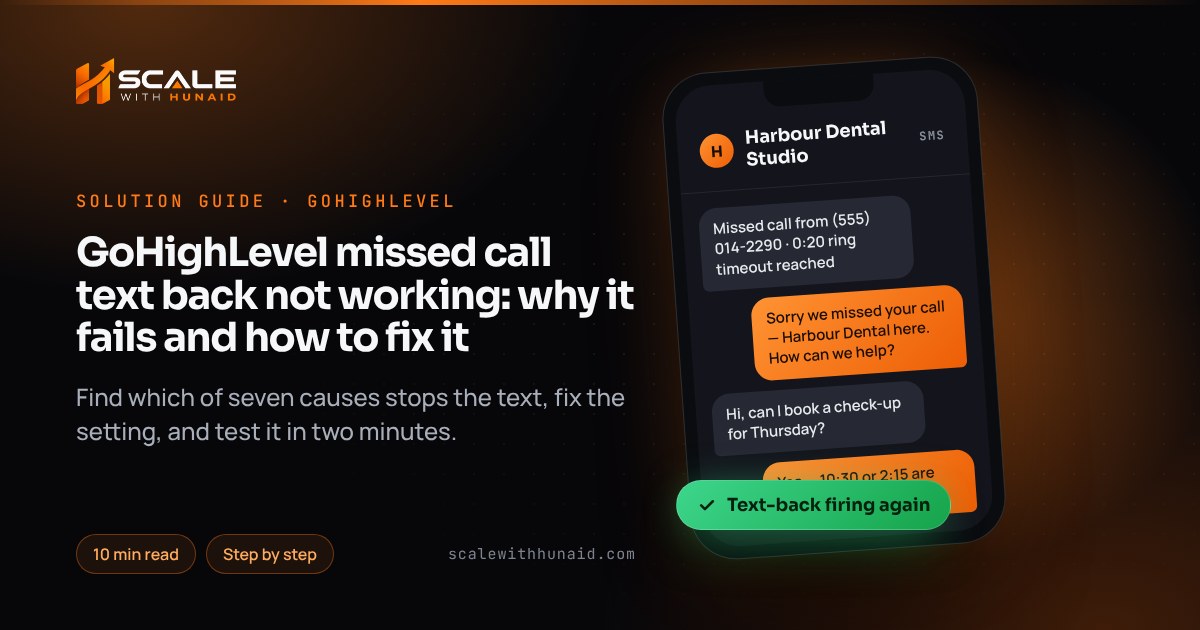
When GoHighLevel missed call text back is not working, the feature itself is almost never broken. Either HighLevel doesn’t think the call was missed — usually because a mobile or carrier voicemail answered it first — or the text was triggered but the SMS was blocked. Those two halves have different fixes, and the conversation record tells you which one you’re dealing with in under a minute.
In this guide I walk through the seven causes I find when I audit accounts, each with the exact setting to change, then give you a two-minute test that proves it works. It is the same checklist I use when I set up text-back as part of a GoHighLevel CRM setup.
How missed call text back decides to send
HighLevel’s missed call text back article describes three rules worth knowing before you troubleshoot:
- A text goes out only when an inbound call goes unanswered past the ring timeout. Answered calls never trigger one.
- It respects the contact’s DND settings and communication preferences.
- It sends a text for every missed call — including repeat calls from the same person a minute apart.
The timeout is the part people miss. In the phone number configuration options, the incoming call timeout decides how long the call rings your users before HighLevel moves to its backup (voicemail or Voice AI). Leave it blank and it defaults to 60 seconds. HighLevel warns that a timeout that is too long “may allow an external carrier voicemail system to answer before HighLevel reaches its configured backup” — and a call answered by any voicemail looks like an answered call.
First, find out which half is broken
- Call your HighLevel number from a mobile that is not saved as a contact in the sub-account, and let it ring out.
- Open Conversations and find the new contact for that number.
- Read what you see:
- The call is logged but no outbound text exists — the text-back never triggered. Go to causes 1–4.
- A text exists but shows as failed or undelivered — it triggered and the SMS failed. Hover over the message for the error code and go to causes 5–6.
- More than one text arrived — go to cause 7.
- No call is logged at all — the call never reached HighLevel. Go to cause 3.
| Symptom | Likely cause | Where to fix it |
|---|---|---|
| Call logged, no text at all | Feature off or message blank | Settings → Phone System → Voice |
| Text only when your mobile is switched off | Personal voicemail answers first | Phone number → Edit Configuration |
| No call logged in HighLevel | Calls not forwarded to the HighLevel number | Carrier forwarding codes, Google Business Profile |
| Text sent from a different number | Dialled number can’t send SMS | Settings → Phone System → Phone Numbers |
| Text shows error 30034 | Number not on an approved A2P campaign | Settings → Phone System → Trust Center |
| Text shows error 21610 | Caller opted out / DND | Contact record — caller must opt back in |
| Caller gets 2–3 texts | Repeat calls, or feature and workflow both on | Use one, add a wait or tag check |
Cause 1: the feature is off or set in the old place
Older tutorials say the toggle lives in Business Profile. As of October 2026, HighLevel documents it under the phone system settings.
Fix:
- Open the sub-account and go to Settings → Phone System → Voice → Voicemail & Missed Call Text Back.
- Switch Missed Call Text Back on.
- Write the message. I use: “Sorry we missed your call — this is [Business Name]. How can we help? Reply STOP to opt out.” Name the business so the caller recognises you, and keep opt-out wording in for compliance.
- Click Send test to your own mobile, confirm it arrives, then Save.
Cause 2: your mobile or carrier voicemail answers before HighLevel
This is the most common cause I see. The HighLevel number forwards to the owner’s mobile, the mobile rings for 25 seconds and its own voicemail answers. HighLevel sees a connected call, so no text goes out. HighLevel’s Call Connect article explains why: calls can show as “Completed” once they finish routing, even if no one answered.
Fix:
- Time your own phone: call it from another phone and count the seconds until voicemail answers. Most mobiles answer in 20–30 seconds.
- Go to Settings → Phone System → Phone Numbers, open the number’s menu and choose Edit Configuration.
- On the call-forwarding settings, set Incoming call timeout to about 20 seconds — HighLevel’s suggested starting point — and always below your mobile’s voicemail time.
- In the advanced settings, switch on Call Connect. When a call is forwarded to a personal number, the person answering is prompted to press a key before being connected, which lets HighLevel tell a real person from voicemail.
- Optionally add a short whisper message (for example “Call from the website number — press 1 to accept”). Whisper only plays on calls forwarded to external numbers, not in the HighLevel apps.
- Save, then repeat the two-minute test from the section above.
Cause 3: calls never reach the HighLevel number
If no call appears in Conversations, HighLevel never saw it. This happens when customers dial your old business number and nothing forwards it to HighLevel.
Fix — forward on no answer from your existing mobile. HighLevel’s call forwarding article lists carrier codes as of October 2026:
- Verizon: dial
*71followed by your HighLevel number to forward unanswered or busy calls;*73turns it off. - T-Mobile: dial
**61*1+ your HighLevel number +#for no-answer forwarding;##61#turns it off. - Other carriers: HighLevel lists
*92+ number for missed calls and*93to turn it off. AT&T is listed only with*21(forward all calls), so check with AT&T for a no-answer code.
Codes change, so confirm with your carrier and test straight away.
Fix — Google Business Profile. If most calls come from your Google listing, connect it in HighLevel. With GBP call tracking, HighLevel moves your existing number to the secondary slot and puts a LeadConnector number in the primary slot, so calls from Google ring through HighLevel and trigger text-back. The sub-account must already have a number or the integration won’t complete.
Cause 4: the text sends from the wrong number
According to HighLevel’s sending-number rules, the text goes out from the number the caller dialled if it can send SMS. If not, HighLevel falls back to a number you’ve texted that contact from before, then the default outbound number, then any eligible number in the sub-account. Call-tracking pool numbers and unverified toll-free numbers often can’t send SMS, so the caller gets a text from a number they don’t recognise — or, if none qualifies, you see the “not a valid SMS-capable From number” error.
Fix:
- Go to Settings → Phone System → Phone Numbers and check which numbers are SMS-capable and show the green A2P Verified label.
- Mark your main, registered local number as the default number for the sub-account.
- If customers dial a toll-free number, finish toll-free verification so it can text back itself.
- Re-test and confirm the reply comes from the number the caller dialled.
Cause 5: error 30034 — the number isn’t registered for A2P
If the text appears in Conversations but fails with 30034, the SMS was blocked. Twilio’s error page says it means the message came from a US 10DLC number that is not associated with an approved A2P 10DLC campaign. Causes include unfinished brand or campaign registration, the number not being attached to the campaign, or more than one number on a Sole Proprietor campaign (only one is allowed).
Fix:
- In HighLevel go to Settings → Phone System → Trust Center, click Brand & Campaigns on the A2P Messaging (SMS) card and check the brand and campaign status.
- If the campaign is rejected, click View required fixes next to each reason, and follow my A2P 10DLC campaign rejected guide — make sure the campaign description and sample messages mention missed call follow-up.
- Once approved, link the number to the campaign and check it shows A2P Verified under Phone Numbers. HighLevel notes it can take up to 24 hours for a number to be fully active with carriers.
- Don’t keep resending blocked messages; fix the registration first, then re-test.
Cause 6: the caller has DND on or opted out
A failed text with 21610 means the recipient has opted out or has DND on, according to HighLevel’s SMS error guide. This is working as intended, and you must not try to get round it.
Fix:
- Open the contact and check the DND settings. If you set DND manually by mistake, switch it off for SMS.
- If the person replied STOP, they must opt back in themselves — for example by texting START.
- When testing, use a fresh phone number; old test contacts often carry DND from earlier tests.
Texting rules also differ by state — Florida, for example, has its own telemarketing law — so if you text outside a reply to a missed call, check the state page for where you operate. This is not legal advice.
Cause 7: callers get two or three texts
Because HighLevel sends a text for every missed call, someone who rings three times in two minutes gets three texts. The other cause is running the built-in feature and a workflow on the Call Status trigger at the same time.
Fix — one text per caller:
- Choose one method. If you need logic, switch the built-in toggle off and use a workflow.
- In Automations → Workflows, create a workflow with the Call Status trigger, filtered to inbound calls with status no answer, busy or voicemail.
- Add an If/Else: if the contact has the tag
mctb-sent, end the workflow. - Otherwise Send SMS with your message, then Add Tag
mctb-sent. - Add Wait 1 day, then Remove Tag
mctb-sent, so a caller next week gets a fresh text. - Turn on Allow Re-entry in workflow settings, and publish. If it doesn’t fire, use my workflow not triggering checklist.
Why it is worth fixing today
Speed matters more than the wording of the text. In Harvard Business Review’s audit of 2,241 US companies, only 37% responded to a web lead within an hour, and 23% never responded at all. The same research found that firms trying to contact a lead within an hour were nearly seven times as likely to qualify it as those that waited even an hour longer. A text-back that fires in seconds puts you in the first group automatically.
Share of companies in each response-time band; a working missed call text back responds within seconds.
Source: Harvard Business Review, The Short Life of Online Sales Leads (2011)
Confirm it is fixed: the two-minute test
Common mistakes to avoid
- Leaving the timeout blank. The 60-second default is longer than most mobile voicemails.
- Testing from your own saved number. Your contact may have DND, tags or history that hide the result.
- Running two text-back systems. The built-in toggle plus a Call Status workflow means duplicate texts.
- Texting from an unregistered number. Every 10DLC message gets blocked until the campaign is approved.
- A vague message. “Sorry we missed you” with no business name looks like spam; name the business and invite a reply.
Get missed calls answered every time
Missed call text back is the cheapest speed-to-lead fix in HighLevel, but it only works when the timeout, forwarding and SMS registration all line up. If you’d rather hand it over, I set it up and test it end to end as part of a GoHighLevel CRM setup, handle A2P 10DLC registration so the texts get delivered, and can add a Voice AI agent that answers the call instead of texting after it.

References
- Where and how to configure the Missed Call Text Back feature — HighLevel Support Portal
- Overview of Phone Number Configuration Options — HighLevel Support Portal
- Improve Call Tracking Accuracy with Call Connect — HighLevel Support Portal
- Call Forwarding to Your HighLevel Phone Number — HighLevel Support Portal
- How To Fix — Phone Call Redirect Loop — HighLevel Support Portal
- Call Tracking and Missed Call Text Back Through Google Business Profile — HighLevel Support Portal
- Understanding Common SMS Delivery Errors in HighLevel — HighLevel Support Portal
- Error: Not a Valid SMS-Capable “From” Number — HighLevel Support Portal
- 30034: US A2P 10DLC — Message from an Unregistered Number — Twilio
- Link a Phone Number to an A2P Campaign in HighLevel — HighLevel Support Portal
- Workflow Trigger — Call Status — HighLevel Support Portal
- Missed Call WhatsApp Back: Setup & Best Practices — HighLevel Support Portal
- The Short Life of Online Sales Leads — Harvard Business Review