
Solution guide · SMS & compliance
Toll-free verification rejected? Why it happens and how to fix it
Toll-free verification rejected? The 2026 error codes explained, plus the exact opt-in, privacy policy, terms and HELP wording that gets numbers approved.

Key takeaways
- Most toll-free verification rejections come from a short list of fixable problems: a missing or private privacy policy or terms page, an opt-in that is bundled, pre-ticked or required, a website that does not match the business, or business details that do not match official records.
- Since 15 September 2026, every toll-free verification submission needs separate public Privacy Policy and Terms & Conditions URLs — submissions without both are rejected.
- Since 17 February 2026, Twilio requires a business registration number (an EIN in the US) on new toll-free submissions for every business type except sole proprietorships.
- On Twilio, a resubmittable rejection should be corrected and resubmitted within 7 days to get priority review; rejections marked "not eligible for resubmission" need the request deleted and a new one submitted.
- Unverified toll-free numbers cannot text US or Canadian recipients at all, so fix the website and opt-in first and resubmit once, carefully.
A rejected toll-free verification means your 8XX number cannot send a single text to US or Canadian customers. Twilio blocks unverified toll-free numbers outright, and GoHighLevel’s LC Phone runs on the same rules. The good news: almost every rejection comes with an error code, and each code points to one specific fix — usually on your website, not in the form.
The rules tightened twice in 2026. Business registration numbers became mandatory in February, and from 15 September every submission needs separate privacy policy and terms URLs, with a new, more specific set of rejection codes. This guide explains what changed, what each common rejection means, and the exact wording and settings I use to get toll-free numbers verified for GoHighLevel clients.
What toll-free verification checks
Toll-free verification is a one-off review of who is texting, why, and how recipients agreed to it. Unlike A2P 10DLC, which registers a separate brand and campaign for local numbers, toll-free numbers go through a single submission. Reviewers check four things:
| What they check | What you submit | Where rejections come from |
|---|---|---|
| The business | Legal name, registration number, address, website, contact | Name or number not matching official records; agency listed instead of the real sender |
| The use case | Use-case category, description, monthly volume, sample messages | Vague descriptions; samples that do not match the category |
| The consent | Opt-in type and a public URL showing the opt-in | Bundled, required or pre-ticked consent; a private or broken URL |
| The policies | Privacy policy URL and terms URL (separate fields) | Missing, private or empty pages; policies that allow sharing numbers |
As of October 2026, Twilio says reviews typically take about 3–5 business days, while HighLevel warns LC Phone reviews can take up to four to six weeks.
What changed in 2026
Two rule changes explain most of the rejections I see this autumn:
- Business registration numbers (17 February 2026). Twilio requires a business registration number on all new toll-free submissions for every business type except sole proprietorships. In the US that is the EIN, and the legal name must match it character for character.
- Privacy policy and terms URLs (15 September 2026). HighLevel added two required fields — Privacy Policy URL and Terms & Conditions URL — on Step 3, below the opt-in workflow images. Carriers reject new submissions without both. On Twilio, a missing terms URL is rejected with error 30493.
On the same date, Twilio introduced more specific rejection codes shared between toll-free and A2P 10DLC. Some old codes changed meaning: 30475 now covers consent bundled with another agreement, mandatory consent sits under 30505, and privacy policy problems moved to 30536. If you mapped error codes in a dashboard or followed an older guide, check the current wording.
Common rejection codes and what fixes them
These are the toll-free rejections that come up most, with the fix for each, as listed in Twilio’s rejection guide and error dictionary as of October 2026:
| Code | Rejection | Fix |
|---|---|---|
| 30476 | Opt-in not provided | Submit a public URL that shows how people opt in — the live form, a hosted screenshot or a document describing the flow |
| 30475 | Consent bundled with another agreement | Accepting terms, a privacy policy or an account agreement must not also sign people up for texts |
| 30505 | Opt-in required to use the service | Let people submit the form, book or buy without ticking the SMS box |
| 30508 | Pre-selected checkbox | Every consent checkbox or toggle starts unticked |
| 30509 | Opt-in URL not accessible | Use a link that opens without a login, goes straight to the opt-in and does not change after submission |
| 30513 | Opt-in language unclear | Write a standalone SMS consent statement — not text buried in your terms |
| 30489 | Website not established | A live, finished site with contact details and a description of services that match the submission |
| 30492 | Website does not show branding | Use your own domain showing your business name — not a generic platform or funnel URL |
| 30493 | Terms of service URL | A public terms page with SMS disclosures: rates, frequency and opt-out commands |
| 30536 | Privacy policy URL | A public privacy policy with the required disclosures, in its own field |
| 30486 | HELP response | An automatic HELP reply with business name, support contact, rates disclosure and STOP instructions |
| 30498 | Opt-in description does not match evidence | Describe exactly the flow the screenshot or URL shows |
| 30472 / 30527 | Registration details missing or invalid | Enter the EIN and legal name exactly as on official documents |
| 30479 | More than 5 numbers | Justify why one business needs a sixth number, or consolidate |
In GoHighLevel you do not have to guess which applies: the rejection reason is now shown on the Phone Numbers page.
Fix 1: an opt-in that passes the 2026 consent codes
Five of the codes above — 30475, 30476, 30505, 30508 and 30513 — are about consent. One form setup fixes all of them:
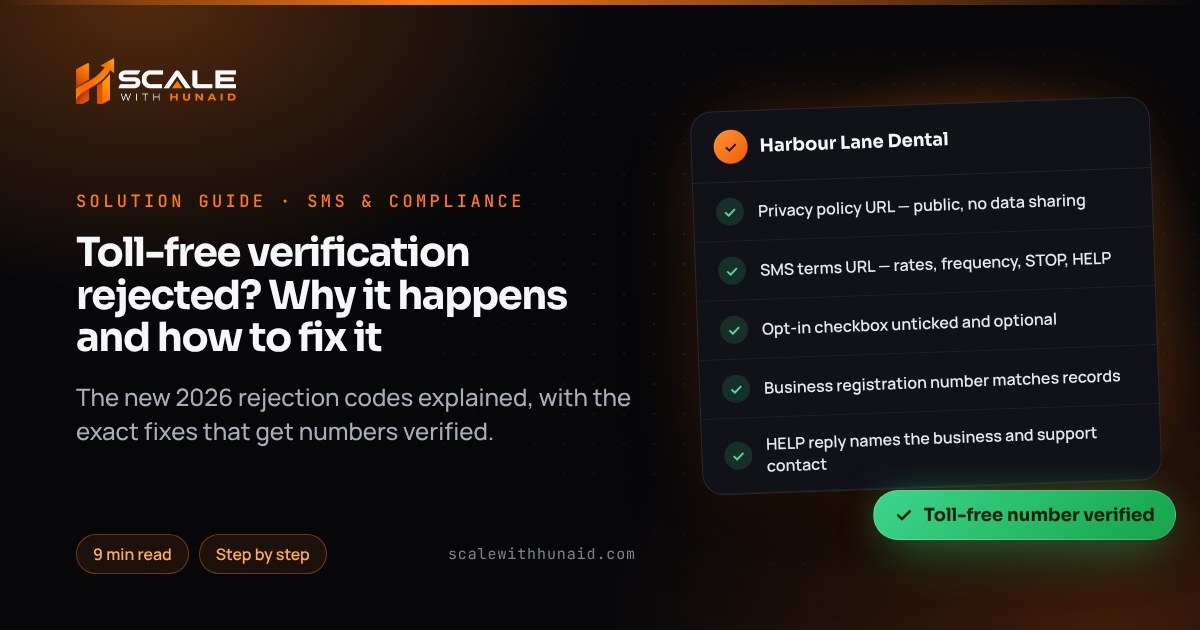
- Add a separate SMS checkbox to every form that collects phone numbers. It must be unticked by default and optional: the form still submits without it.
- Put the consent wording next to the checkbox, and tie it to ticking the box — Twilio says the disclosure must refer to checking the box, not to submitting the form.
- Use two checkboxes if you send marketing and non-marketing texts. HighLevel asks for marketing and non-marketing consent to be separate, and to select Marketing as a use case whenever promotional messages are sent.
- Keep your terms acceptance separate. A single “I agree to the terms and to receive messages” box is exactly what 30475 rejects.
Wording I use, adapted per business:
☐ I agree to receive appointment reminders and service updates by text from Harbour Lane Dental. Message frequency varies. Message and data rates may apply. Reply HELP for help or STOP to opt out. See our Privacy Policy and Terms.
Fix 2: privacy policy and terms pages carriers accept
Since 15 September these are two separate required URLs, and both must be public. Add these sections:
Privacy policy — add an SMS section:
Mobile information collected through SMS opt-in is used only to send the messages you requested. We do not sell or share mobile numbers or SMS opt-in data and consent with third parties or affiliates for their marketing purposes.
That second sentence matters: HighLevel’s guide says the policy must not permit sharing opt-in data or consent with third parties for marketing.
Terms — add an SMS terms section covering the disclosures Twilio lists for 30493: the programme name and what messages are sent, that message frequency varies, that message and data rates may apply, and that recipients can reply STOP to cancel or HELP for help, with a support email or phone number.
Then open both links in a private browser window. If either asks for a login or shows an empty page, reviewers will reject it.
Fix 3: website, business details and HELP reply
- Website (30489, 30492). Use a live site on your own domain that shows the business name, contact details and services. HighLevel rejects private, password-protected or reseller-branded sites, and “coming soon” pages fail too.
- Legal entity (30472, 30527, 30494). Submit the end business, not your agency or software platform, unless the agency really is the sender. Copy the legal name and EIN from the IRS letter. If an ISV or reseller is involved, name it in the ISV field.
- HELP reply (30486). In GoHighLevel, set an automatic reply to the keyword HELP, for example:
Harbour Lane Dental: for help call (555) 010-0142 or email [email protected]. Msg & data rates may apply. Reply STOP to opt out.
Resubmitting in GoHighLevel: step by step
As of October 2026, HighLevel’s verification guide uses this path:
- Open the sub-account that owns the number and go to Settings → Phone System → Manage Numbers.
- Read the rejection reason shown under the number, then fix the website, form and policies first — reviewers check the live pages.
- Click Verification Required (or the resubmit option) beneath the toll-free number.
- Business and contact: enter the legal entity name exactly as registered, your own-domain website and a real contact person.
- Location: the physical address of the end business.
- Messaging use case: pick the monthly volume, opt-in type (Web Form, Paper Form, Verbal, Via Text or Mobile/QR Code) and every use-case category that applies — including Marketing if you send promotions.
- Opt-in evidence: upload a screenshot of the form to Media Storage, click Get Link, and paste that URL. Test it in a private window.
- Privacy Policy URL and Terms & Conditions URL: paste each into its own field.
- Description and samples: two or three sentences on who receives messages, what they contain and how people opt in, plus sample messages that name the business and include STOP language.
- Accept the terms, submit, and complete identity verification if prompted.
If resubmission is not available, HighLevel suggests an appeal to support with the subject line “Toll-Free Verification Rejection Appeal for [Business Name or Number]”, including the sub-account name, Location ID, number in E.164 format, rejection reason, legal entity name, website and opt-in evidence URL.
On Twilio directly, the console onboarding guide shows the remaining days on the number’s Regulatory Information tab with a Make corrections and resubmit button. Resubmitting within 7 days puts you in a priority queue; after that the number stays Restricted until you resubmit.
Resubmit inside Twilio’s 7-day window to keep priority; on LC Phone, allow up to six weeks before texting depends on the number.
Source: Twilio Help Center and Docs; HighLevel Support Portal (as of October 2026)
Mistakes that cause a second rejection
- Changing the opt-in page after submitting. Reviewers may open the URL days later; 30509 covers pages that changed.
- Using a funnel subdomain with platform branding as the business website.
- Describing a web form while uploading a paper-form screenshot — that mismatch is 30498.
- Leaving Marketing unticked while samples include offers.
- Listing the agency as the business to save time across sub-accounts.
This is not legal advice. Consent rules also vary by state: Florida, for example, limits automated sales texts to 8am–8pm and three per day on the same subject — see the Florida page and the Texas page.
Getting verified the first time
Approved toll-free numbers tell one consistent story: the website, the opt-in, the privacy policy, the terms and the sample messages all describe the same business, sending the same messages, to people who ticked an optional box. When I handle SMS registration, that groundwork happens before anything is submitted — which is why resubmissions are the exception.
If you also text from local numbers, the A2P 10DLC rejection guide covers the same consent rules for 10DLC campaigns, and email and SMS deliverability covers what happens after your messages are allowed to send.

References
- Why Was My Toll-Free Verification Rejected? — Twilio Help Center
- Toll-Free Message Verification for US/Canada — Twilio Help Center
- Toll-free verification console onboarding guide — Twilio Docs
- Toll-Free Verification Onboarding Guide — Twilio Help Center
- New error codes provide clearer TFV and A2P 10DLC registration feedback — Twilio Changelog
- Business Registration Numbers Required for Toll-Free Messaging Traffic — Twilio Changelog
- Error 30505: Opt-in must be optional, not required — Twilio Docs
- Error 30508: Pre-selected opt-in checkbox is not allowed — Twilio Docs
- Error 30486: HELP keyword response must meet requirements — Twilio Docs
- Error 30476: Opt-in not provided — Twilio Docs
- Error 30479: Justification required for more than 5 numbers — Twilio Docs
- Toll-Free Number Verification Guide for LC Phone Messaging — HighLevel Support Portal
- Privacy Policy + T&C URLs on Toll-Free Verification — HighLevel Changelog
- Toll Free Rejection Reason and LC Phone Upgrades — HighLevel Changelog