
Solution guide · SMS & compliance
GoHighLevel SMS error 21610: why the contact is blocked and how to fix it
GoHighLevel SMS error 21610 means the contact opted out or has DND on. Find which block it is, re-subscribe them properly and catch every opt-out.

Key takeaways
- GoHighLevel SMS error 21610 means the contact has opted out of your number or messaging service, or has SMS DND switched on, so the text is blocked and you are not charged for it.
- A STOP reply sets a permanent DND that you cannot remove in the HighLevel interface: only the contact can lift it by texting START, YES or UNSTOP (START or UNSTOP on toll-free numbers).
- DND set by carrier errors 30003, 30005 or 30006 is temporary and you can remove it on the contact record once the number is fixed; 30004 and keyword opt-outs are permanent.
- Keyword filters only catch a reply that is exactly an opt-out word, so add a Customer Replied workflow that sets DND for phrases like “please stop texting me” and “opt out”.
- As of November 2026, US rules require opt-outs to be honoured within 10 business days, and the FCC’s revised revocation rules take effect on 25 November 2026.
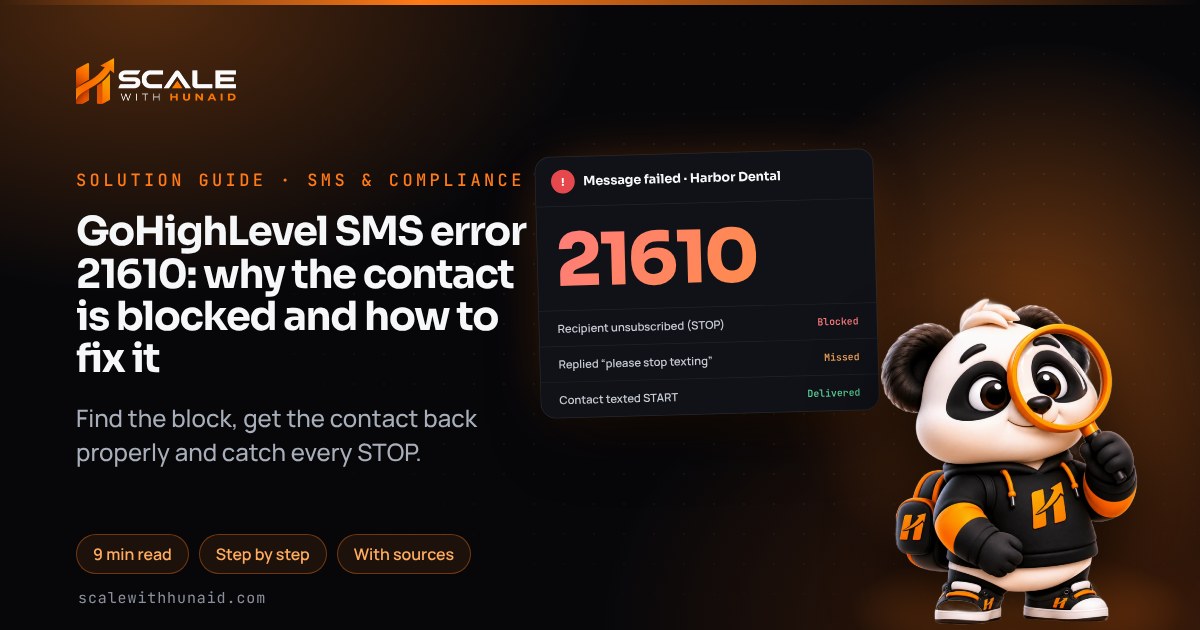
GoHighLevel SMS error 21610 means the text was blocked on purpose. Twilio describes it as an attempt to send to an unsubscribed recipient: the person opted out of your number, sender or messaging service. HighLevel adds a second cause, a contact with Do Not Disturb (DND) switched on. Either way the message is never sent and you are not charged for it.
So the fix is rarely “make it send”. It is working out which block you hit, getting a contact back only when they genuinely want your texts, and making sure the opt-outs your system misses get caught. In this guide I cover all three, plus the US opt-out rule changes that take effect on 25 November 2026. It is the order I check things in when I clean up email and SMS deliverability for a sub-account. Menu paths are as of November 2026.
What error 21610 means in GoHighLevel
HighLevel keeps two kinds of SMS block on a contact, and both show up as 21610:
- An opt-out. The contact replied with a keyword such as STOP. Per the LC Phone messaging policy, consent is then revoked, every upcoming and queued message fails, and a permanent DND is set on the contact.
- A DND flag. DND is a status on the contact record that blocks SMS, calls or everything, independent of any keyword reply. You or a workflow can set it, and HighLevel sets it automatically when a carrier returns certain errors.
Which one you have decides what you are allowed to do next:
| DND set by | Type | Can you remove it? |
|---|---|---|
| Contact replied STOP (or another opt-out word) | Permanent | No. Only the contact, by texting START, YES or UNSTOP |
| Carrier error 30004 (recipient blocked texts) | Permanent | No. Same as above |
| Carrier error 30003 (unreachable) | Temporary | Yes, on the contact record |
| Carrier error 30005 (number doesn’t exist) | Temporary | Yes, once the number is corrected |
| Carrier error 30006 (landline) | Temporary | Yes, once you have a mobile number |
| You or a workflow | Manual | Yes |
Source: HighLevel’s LC Phone messaging policy and DND article. HighLevel’s common SMS errors article lists all four carrier codes together without splitting them, so check the DND details on the contact rather than guessing.
- 1Open the contact’s DNDPermanent or temporary decides the fix.
- 2Read the conversationFind the STOP or carrier error.
- 3Check the sending numberOpt-outs follow the number or service.
- 4Ask for START, not a toggleOnly the contact can lift a STOP.
- 5Catch missed opt-outsA workflow for “please stop” replies.
- 6Stop texting the opted-outFilter DND out of every campaign.
Find out why the contact is blocked
Before you change anything, spend two minutes on the contact.
- Open Contacts, click the contact and find the DND section in the left panel. Note which channels are blocked and whether it says permanent or temporary.
- Open the Conversations tab for that contact. Scroll back to the last inbound message: a STOP, CANCEL or UNSUBSCRIBE reply explains it at once.
- Look at the failed outbound messages. Hover over the error to see the code. A 30003–30006 before the 21610 means the carrier set the DND, not the contact.
- Note which number sent the texts. Twilio blocks per phone number, sender or messaging service, so a STOP sent to your old number may not explain a block on your new one, or the other way round.
- If none of this explains it, Twilio also lists a recently reassigned phone number as a cause: the new owner of that number may have opted out.
To catch these early, add a Messaging Error Code - SMS workflow trigger for 21610 that creates a task for the contact owner. HighLevel’s trigger article shows how to filter it to a single code.
Fix 1: the contact replied STOP and now wants your texts
This is the common case: someone replied STOP to a promotion months ago and now asks why they are not getting their appointment reminders.
- Do not look for a toggle. HighLevel says a permanent DND cannot be revoked from the UI, and bulk removal is blocked on purpose.
- Ask the contact to text START to the exact number they opted out of. HighLevel accepts START, YES or UNSTOP, which automatically removes the DND. Ask by phone, email or in person, not by text, because the text will fail.
- On a toll-free number, say START or UNSTOP only. Twilio warns that YES will not re-subscribe a previously unsubscribed user on US toll-free numbers.
- Check it worked. The contact’s DND should clear within a minute or two and the next text should deliver. You can use a one-line test message such as: “Harbor Dental: you’re subscribed to appointment texts again. Reply STOP to opt out.”
- If START was sent to the right number and 21610 continues, raise a HighLevel support ticket with the contact and conversation link, as HighLevel’s 21610 article recommends.
Fix 2: a carrier error set a temporary DND
If the conversation shows 30003, 30005 or 30006 before the 21610, the block came from the carrier, not the person.
- Check the number. For 30005, ask the contact for their current mobile number. For 30006, the number is a landline, so get a mobile number or switch that contact to email or calls.
- Update the phone field on the contact record.
- Remove the temporary DND in the contact’s DND section. HighLevel allows this for temporary DND only.
- Send one test message and confirm it delivers.
- Prevent the next one. HighLevel’s Number Intelligence option looks up numbers before sending and applies a temporary DND to numbers that can’t receive SMS. That keeps landlines and dead numbers from pushing up your error rate.
Fix 3: the opt-out came from another number or the number changed hands
- Map your numbers. If your sub-account uses a messaging service with several numbers, an opt-out to one blocks all of them. A single number on its own only blocks that number. HighLevel’s DND article explains the difference.
- Respect it across numbers. Even where a second number would technically send, the person asked you to stop. Treat any opt-out as covering the business.
- For a reassigned number, confirm with the contact by email or phone that the mobile number is still theirs. If it isn’t, remove the number from the record instead of trying to send.
Fix 4: catch the opt-outs GoHighLevel misses
This is the opposite problem, and the one that causes complaints: someone clearly said stop, but they keep getting texts.
Keyword matching is strict. Twilio and HighLevel ignore capitals, but the whole incoming message has to match a keyword. “Stop” works; “Please stop texting me” does not. Twilio also doesn’t support spaces in keywords, so OPTOUT works but “opt out” doesn’t. Yet US rules list “opt out” as an opt-out in its own right.
| Reply | US rule: opt-out in itself? | Twilio default keyword? |
|---|---|---|
| STOP / QUIT / END / CANCEL / UNSUBSCRIBE | Yes | Yes |
| REVOKE | Yes | Yes, since 13 May 2025 |
| OPTOUT (one word) | Not listed; the rule says “opt out” | Yes, since 13 May 2025 |
| “opt out” (two words) | Yes | No, spaces not supported |
| “Please stop texting me” | Reasonable means | No, not an exact match |
| “Not interested” | Possibly, depending on context | No |
Sources: the “stop, quit, end, revoke, opt out, cancel, or unsubscribe” list in 47 CFR 64.1200(a)(10), Twilio’s keyword changelog and Twilio Advanced Opt-Out docs. A HighLevel ideas-board request to add extra DND keywords shows LC Phone users can’t edit the list themselves, so build the safety net in a workflow:
- Go to Automation → Workflows → Create Workflow → Start from scratch. Name it “SMS opt-out phrases”.
- Add the Customer Replied trigger. Add the filter Reply Channel = SMS, then a Contains Phrase filter for each phrase:
stop texting,please stop,opt out,unsubscribe me,remove me,take me off. HighLevel notes that Contains Phrase can match unintended text, so avoid single common words like “stop” on their own. - Add the Enable/Disable DND action, set direction to Outbound, choose Enable, and select SMS (or all channels if that is your policy), as in HighLevel’s DND action article.
- Add an Internal Notification to the contact owner so a person checks borderline replies such as “stop, wrong time, call me tomorrow”.
- Turn on Allow Re-entry, then Publish. Test from your own phone with “please stop texting me” and confirm DND switches on.
If you have your own Twilio account (not LC Phone or an ISV setup), you can also add keywords such as REMOVE to the messaging service: in the Twilio Console open Messaging → Services → your service → Opt-Out Management → Enable Advanced Opt-Out, then edit Standard Opt-Out Keywords. HighLevel’s non-ISV guide warns that switching it off later needs Twilio Support.
What changes on 25 November 2026
Opt-out handling is about to change in the US, which is why I would fix the gaps above this month.
- The rule today. Consent can be revoked by any reasonable means, and requests must be honoured within a reasonable time not exceeding 10 business days. The seven words above, sent in reply to a text, count as an opt-out in themselves.
- One confirmation text. The FCC’s 2024 order allows a single confirmation text that only confirms the opt-out and contains no marketing; one sent within five minutes is presumed to fall within the original consent. HighLevel and Twilio already send one, so don’t add a second in a workflow.
- The “revoke all” rule. The requirement that an opt-out covers all your robocalls and robotexts was waived until 31 January 2027.
- The new order. In FCC 26-67, the FCC lets senders designate an exclusive opt-out method, such as a reply keyword, if it is clearly disclosed in each message. It also lets an opt-out from an informational text apply only to that category of messages, but not for telemarketing. The amended rules were published on 26 October 2026 and take effect on 25 November 2026, replacing the January 2027 date.
- 10business days to honour an opt-out(47 CFR 64.1200)
- 7words that are an opt-out in themselves(47 CFR 64.1200)
- 5 minwindow for a presumed-fine confirmation text(FCC 24-24)
- 25 Novrevised revocation rules take effect (2026)(Federal Register)
My advice: don’t rely on an exclusive method to ignore a clear “please stop texting me”. Process opt-outs instantly through keywords and the workflow above, and you are inside every version of the rule. Some states add their own texting rules too; Texas, for example, now treats marketing texts more like telemarketing calls.
Mistakes that make 21610 worse
- Trying to resend. The block is permanent until the contact opts back in. Every retry is another failed message in your logs.
- Leaving opted-out contacts in campaigns. Add a DND filter or an If/Else on DND to bulk sends and long nurture workflows so they skip blocked contacts.
- Texting from a different number. It ignores the opt-out and invites complaints.
- Ignoring rising opt-outs. Lots of STOP replies is a message problem. Carriers respond with filtering, which shows up as error 30007.
- Using STOP as a reminder off-switch. If people opt out of everything because promotions annoy them, they lose reminders too. Separate promotional and service texts, and say so in the opt-in.
Getting opt-outs right in GoHighLevel
GoHighLevel SMS error 21610 is the system protecting you: the contact said stop, a carrier flagged the number, or a DND was set. Check which, get people back only when they text START themselves, and add a workflow so “please stop texting me” is treated as seriously as STOP. With the FCC changes landing on 25 November 2026, now is a good time to check.
If you’d like a hand, I fix opt-out handling, list hygiene and filtering as part of email and SMS deliverability, and handle registrations through A2P 10DLC registration. If reminders are the texts going missing, read GoHighLevel appointment reminders not sending, and for registration problems see A2P 10DLC campaign rejected.

References
- Twilio Error 21610: SMS Recipient Unsubscribed (STOP) — HighLevel Support Portal
- How to Setup and Use Do Not Disturb (DND) in HighLevel — HighLevel Support Portal
- LC - Phone Messaging Policy — HighLevel Support Portal
- Understanding Common SMS Delivery Errors in HighLevel — HighLevel Support Portal
- How to Configure Advanced Opt-Out Management in Twilio - Non ISV — HighLevel Support Portal
- How to Use the Customer Replied Trigger in GHL Workflows — HighLevel Support Portal
- How to Use Enable/Disable DND Action in HighLevel Workflows — HighLevel Support Portal
- How to Configure SMS Compliance Settings in HighLevel — HighLevel Support Portal
- Workflow Trigger - Messaging Error Code - SMS — HighLevel Support Portal
- Temporary DND based on Number Validation — HighLevel Changelog
- Add Additional DND keywords to SMS message — HighLevel Ideas
- 21610: Attempt to send to unsubscribed recipient — Twilio Docs
- Twilio Support for Opt-Out Keywords (SMS STOP Filtering) — Twilio Help Center
- Customize users’ opt-in and opt-out experience with Advanced Opt-Out — Twilio Docs
- Opt-Out Additional Keywords Added per FCC Ruling — Twilio Changelog
- 47 CFR 64.1200 — Delivery restrictions — eCFR (US Government)
- Strengthening the Ability of Consumers to Stop Robocalls (FCC 24-24) — Federal Communications Commission
- CGB Extends the Effective Date of the TCPA’s Consent Revocation Rule (DA 26-12) — Federal Communications Commission
- Report and Order on consent revocation (FCC 26-67) — Federal Communications Commission
- Enhancing the Ability of Consumers To Control the Robocalls (final rule) — Federal Register