Solution guide · AI & automation
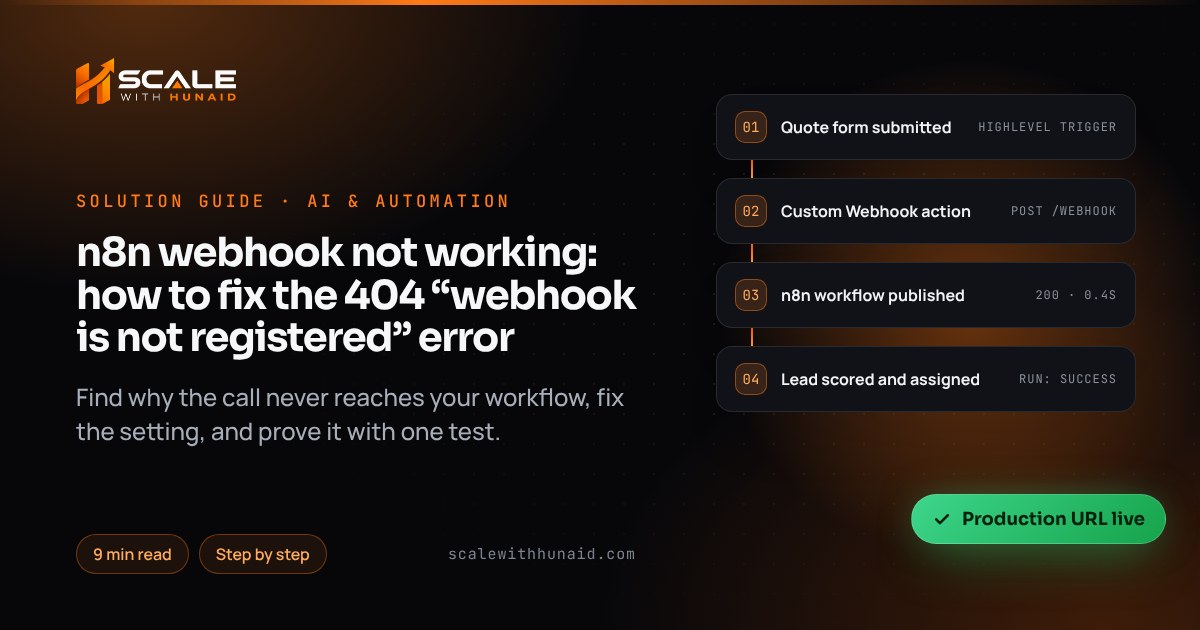
n8n webhook not working: how to fix the 404 “webhook is not registered” error
n8n webhook not working or returning 404 “not registered”? Fix test vs production URLs, publishing, methods, reverse proxies and timeouts step by step.

Key takeaways
- Most n8n webhooks that “stop working” are being called on the Test URL, which only listens for 120 seconds after you select Listen for test event.
- A Production URL only exists once the workflow is published; since n8n 2.0, edits stay in draft until you press Publish again.
- A 404 “webhook is not registered” also appears when the sender uses a different HTTP method from the one set in the Webhook node.
- Self-hosted behind a reverse proxy, set N8N_WEBHOOK_URL (WEBHOOK_URL is deprecated from n8n 2.35.0) and N8N_PROXY_HOPS=1, or n8n shows localhost URLs that nothing outside can reach.
- Production runs never appear on the canvas; check the workflow’s Executions tab to see whether the call arrived.
When an n8n webhook is not working, n8n is almost always fine. It simply isn’t listening on the URL being called. Either the sender has the Test URL, the workflow was never published, the HTTP method doesn’t match, or (if you self-host) n8n is handing out a URL nothing outside your server can reach. Each of those produces the same complaint: “the form submits, but nothing happens in n8n”, often with a 404 that says the webhook “is not registered”.
In this guide I show you how to find which one you have in under five minutes, then fix each cause with the exact setting to change. I use this checklist whenever I connect HighLevel, Retell or a website form to n8n as part of an n8n, Make and Zapier automation build. Menu names are as of October 2026 (n8n 2.x).
How an n8n webhook gets “registered”
n8n generates two URLs for every Webhook node, and they behave very differently:
| Test URL | Production URL | |
|---|---|---|
| Default path | /webhook-test/… |
/webhook/… |
| When it listens | After you select Listen for test event | Once the workflow is published |
| How long | 120 seconds | Until you unpublish |
| Data on the canvas | Yes | No — see the Executions tab |
| Use it for | Building and debugging | Every real app, form and CRM |
The timings come from n8n’s common issues page and the default paths from the endpoint variables reference (N8N_ENDPOINT_WEBHOOK is webhook, N8N_ENDPOINT_WEBHOOK_TEST is webhook-test).
If a request arrives for a path and method n8n isn’t listening on, n8n rejects it. In the logs and the response, people see a message like “The requested webhook ‘POST …’ is not registered”, as in this n8n community thread. The message is accurate: nothing is registered for that exact URL and method.
Find your cause in five minutes
- Copy the URL the sending app is calling (HighLevel action, form plugin, Retell function) into a text editor.
- Check the path.
/webhook-test/means it’s the Test URL; go to cause 1. - Open the workflow in n8n. If the Publish button doesn’t show it as published, go to cause 2.
- Check the host.
localhost,127.0.0.1or:5678in the URL means a self-hosting issue; go to cause 4. - Send one request, then open the workflow’s Executions tab:
- No execution and a 404 — wrong URL, unpublished workflow or wrong method (causes 1–3).
- No execution, but a 200 — check the Only Run If option and the sender (cause 6).
- A failed execution — the call arrived; a node after the webhook broke (cause 5).
- A 524 or a timeout — the workflow took too long to answer (cause 5).
| What you see | Likely cause | Fix |
|---|---|---|
404, URL contains /webhook-test/ |
Test URL used in production | Swap in the Production URL |
| 404 on the Production URL | Workflow not published, or failed to publish | Publish; check for “Failed to publish” |
| 404 only from one app | Method mismatch (GET vs POST) | Match the method or allow several |
URL shows localhost:5678 |
Reverse proxy not configured | Set N8N_WEBHOOK_URL and N8N_PROXY_HOPS |
| 403 | IP allowlist blocks the sender | Add the sender’s IPs or clear the allowlist |
| 524 on n8n Cloud | No response within the time limit | Respond immediately, process after |
| 500 with Respond to Webhook | Workflow errored before responding | Fix the failing node, respond earlier |
Cause 1: the app is calling the Test URL
This is the most common cause I see. Someone builds the workflow with the Test URL, it works perfectly while they watch, they paste that URL into HighLevel and go home. n8n’s workflow development page is clear that the test webhook only stays active for 120 seconds after you select Listen for test event.
Fix:
- Open the Webhook node. At the top of the panel, select Production URL instead of Test URL.
- Copy it. It should contain
/webhook/, not/webhook-test/. - Paste it into the sending app, replacing the old URL everywhere it was used (every HighLevel workflow, form and integration).
- Publish the n8n workflow (cause 2), then send one real test.
Cause 2: the workflow isn’t published, or your edits aren’t
Older tutorials tell you to flip an Active toggle. That changed in n8n 2.0 (released 5 December 2025): n8n now autosaves your edits as a draft, and a separate Publish button pushes them live. According to n8n’s publishing docs, webhook triggers only use their production URLs once the workflow is published, and production runs always use the published version, not your latest edits.
Two states catch people out. Published, has changes means your newest edits aren’t live. Failed to publish means none of the triggers activated, so the workflow isn’t running at all.
Fix:
- Open the workflow and click Publish (or press
Shift+P). - Give the version a name (for example “HighLevel lead webhook v2”) and click Publish.
- Wait until the button stops saying Publishing and shows the workflow as published and up to date.
- If it shows Published, partial or Failed to publish, hover over the button to see which trigger failed, fix it, and publish again.
- On the Workflows page, confirm the card shows the published indicator.
Cause 3: the HTTP method doesn’t match
By default the Webhook node accepts a single method. If the node is set to GET and HighLevel sends POST, n8n answers “not registered” for POST, even though the URL is right. Pasting the URL into a browser to test it sends a GET, which causes the same confusion in reverse.
Fix:
- In the Webhook node, set HTTP Method to what the sender uses. For HighLevel’s Webhook and Custom Webhook actions and almost all form tools, that’s POST.
- If you genuinely need several methods, open the node’s Settings, turn on Allow Multiple HTTP Methods, then list them under HTTP Methods. The node gets one output per method.
- Republish the workflow.
- Test with the method you expect, using curl as n8n suggests:
curl --request POST https://n8n.example.com/webhook/new-lead \
  --header 'Content-Type: application/json' \
  --data '{"email":"[email protected]"}'
Cause 4: self-hosted n8n behind a reverse proxy
If you run n8n on a VPS, Docker, Coolify or Railway behind Nginx, Caddy, Traefik or a Cloudflare Tunnel, n8n doesn’t know its public address. n8n’s reverse proxy guide explains that it builds webhook URLs from N8N_PROTOCOL, N8N_HOST and N8N_PORT. Internally that’s port 5678, but the proxy serves port 443, so the editor shows a localhost URL nothing outside can reach.
Fix:
- Set the public base URL and the proxy count in your environment (Docker Compose
environment:block,.envfile or host settings):
N8N_WEBHOOK_URL=https://n8n.example.com/
N8N_PROXY_HOPS=1- If your setup still uses
WEBHOOK_URL, rename it. As of October 2026, n8n listsWEBHOOK_URLas deprecated from 2.35.0. It still works, but it logs a warning on startup. - On the last proxy before n8n, pass the
X-Forwarded-For,X-Forwarded-HostandX-Forwarded-Protoheaders. - Restart n8n, reopen the Webhook node and confirm the Production URL now starts with your public domain.
- Re-copy that URL into every sender, then republish.
If you run queue mode with separate webhook processes, make sure your DNS and proxy route /webhook/ to them. And if you’re testing on your own laptop, n8n says to run it in tunnel mode so outside services can reach it.
Cause 5: the call arrives but the response fails (500 or 524)
Sometimes the webhook works and the response is the problem. The sender waits for an answer, doesn’t get one in time, and reports a failure.
On n8n Cloud, n8n’s docs say a webhook that doesn’t respond within 100 seconds fails with Cloudflare’s 524 status. Cloudflare’s own 524 page now gives a default Proxy Read Timeout of 125 seconds. Plan for the lower figure. And if you use a Respond to Webhook node, n8n returns a 500 when the workflow errors before that node runs.
Answer within the lowest limit: respond first, then run slow AI or API steps.
Source: n8n, Webhook node common issues (2026); Cloudflare, Error 524 (2026)
Fix:
- If the sender doesn’t need data back (most CRMs and forms don’t), set the Webhook node’s Respond option to Immediately. n8n replies “Workflow got started” and carries on.
- If it does need data back, set Respond to Using ‘Respond to Webhook’ node and place that node as early as possible, before slow AI or API steps.
- For jobs that genuinely take minutes, use the two-webhook pattern n8n recommends: one webhook starts the job and answers at once, and a second one the caller polls for the result.
- Open the failed run in the Executions tab, find the red node, fix it, and republish.
Cause 6: “it ran in HighLevel but nothing happened”
HighLevel’s logs don’t tell you much here. Its Webhook (Outbound) article says the execution log confirms the action ran but doesn’t show the payload. It also says the action sends standard contact data, and includes appointment or opportunity data only when the matching trigger is in the workflow.
Fix:
- In n8n, open the workflow’s Executions tab. Production runs only show there, never on the canvas.
- If an execution exists, open it and check the fields you expected are in the body. A missing appointment or opportunity usually means the HighLevel trigger is the wrong type.
- If no execution exists, use HighLevel’s Custom Webhook action. Set Method to POST and choose JSON. Put any secret in a header, not the URL, as HighLevel recommends. If your account offers it, turn on Save response from this Webhook to see n8n’s status code in the logs.
- Check the Webhook node’s Only Run If option. Requests that don’t match it get a 200 but create no execution, which looks exactly like a silent failure.
- If the HighLevel workflow didn’t fire at all, the problem is on that side; work through my GoHighLevel workflow not triggering checklist.
Confirm it’s fixed
Common mistakes to avoid
- Leaving the Test URL in a live form. It works while you watch and fails as soon as you stop.
- Editing without republishing. Since n8n 2.0, your fixes stay in draft until you press Publish.
- Testing a POST webhook in a browser. The browser sends GET, so you get a misleading 404.
- Doing slow AI work before responding. Answer first, then process.
- Duplicating a published workflow. Two webhooks can’t share the same path and method.
Get your automations talking reliably
A webhook is the join between two systems, so when it breaks, leads go missing quietly. If you’d rather hand it over, I build and test these end to end as part of n8n, Make and Zapier automation. I can also tidy the HighLevel side during a GoHighLevel CRM setup, or connect a Voice AI agent to n8n. If your webhook feeds a missed-call flow, my missed call text back guide covers that end.

References
- Webhook node documentation — n8n Docs
- Webhook node common issues — n8n Docs
- Webhook node workflow development — n8n Docs
- Save and publish workflows — n8n Docs
- Release notes for n8n 2.x ([email protected]) — n8n Docs
- Configure n8n webhooks with reverse proxy — n8n Docs
- Endpoints environment variables — n8n Docs
- Respond to Webhook — n8n Docs
- Workflow-level executions list — n8n Docs
- Received request for unknown webhook: the requested webhook is not registered — n8n Community
- Error 524 — Cloudflare Docs
- HighLevel Custom Webhook: Setup, Auth & Examples — HighLevel Support Portal
- Workflow Action — Webhook (Outbound) — HighLevel Support Portal