
Solution guide · Email deliverability
GoHighLevel emails going to spam: why it happens and how to fix it
GoHighLevel emails going to spam? Set up a dedicated sending domain, pass SPF, DKIM and DMARC, warm up properly and clean your list, step by step.

Key takeaways
- GoHighLevel emails usually go to spam because they are sent from a shared domain, fail SPF, DKIM or DMARC alignment, or come from a domain whose reputation has been damaged by complaints, bounces or sudden volume spikes.
- The fix starts with a dedicated sending subdomain under Settings → Email Services → Dedicated Domain and IP, with every DNS record HighLevel shows you added at your live DNS provider.
- Add one DMARC record on _dmarc starting at v=DMARC1; p=none; with a rua reporting address, then confirm SPF, DKIM and DMARC all show PASS in a Gmail “Show original” header.
- Google says to keep your user-reported spam rate below 0.10% and never reach 0.30%; HighLevel’s own targets are delivery above 95% and bounces below 2%.
- A new dedicated domain needs warming up — HighLevel says up to about four weeks — by sending to your most engaged contacts first and increasing volume steadily.
When GoHighLevel emails go to spam, it is rarely one thing. In most accounts I audit, three things are going on together: the email goes out from a shared domain, authentication passes but doesn’t line up with the From address, and the domain’s reputation has been damaged by complaints, bounces or a big send to an old list. HighLevel’s own spam article puts it the same way. Gmail, Outlook and Yahoo weigh dozens of signals before they decide on the inbox, so you fix the signals one at a time.
This guide works through them in the order I use when I fix email and SMS deliverability for clients. First a five-minute diagnosis, then a dedicated sending domain, authentication, reputation, list hygiene and content. Every cause ends with numbered steps. Menu paths and limits are correct as of October 2026.
Step 1: find out why your GoHighLevel emails go to spam
Before you change anything, prove where the problem is. HighLevel recommends sending a test to Gmail and reading the header, and I do the same.
- Send an email from a HighLevel workflow or campaign to a personal Gmail address. Use a real send, not just the editor’s test button.
- Open it in Gmail, click the three-dot menu and choose Show original.
- Read the summary at the top. SPF, DKIM and DMARC should all say PASS.
- Check the
From:line and the DKIMd=domain. If you seemsgsndr.comor another domain you don’t own, you are on a shared domain. Go to Cause 1. - Look for
List-UnsubscribeandList-Unsubscribe-Postheaders. These carry the one-click unsubscribe that RFC 8058 defines. - Open Google Postmaster Tools for your domain and check the Compliance status and Spam rate dashboards.
| What you see | Most likely cause | Go to |
|---|---|---|
From or DKIM domain is msgsndr.com |
Shared sending domain | Cause 1 |
| SPF, DKIM or DMARC says FAIL or NONE | Missing or broken DNS records | Cause 2 |
| All PASS, still spam, spam rate climbing | Damaged reputation or complaints | Cause 3 |
| All PASS, high bounces or old list | List quality | Cause 4 |
| All PASS, clean list, only some campaigns | Content, links or unsubscribe | Cause 5 |
Cause 1: you are sending from a shared domain
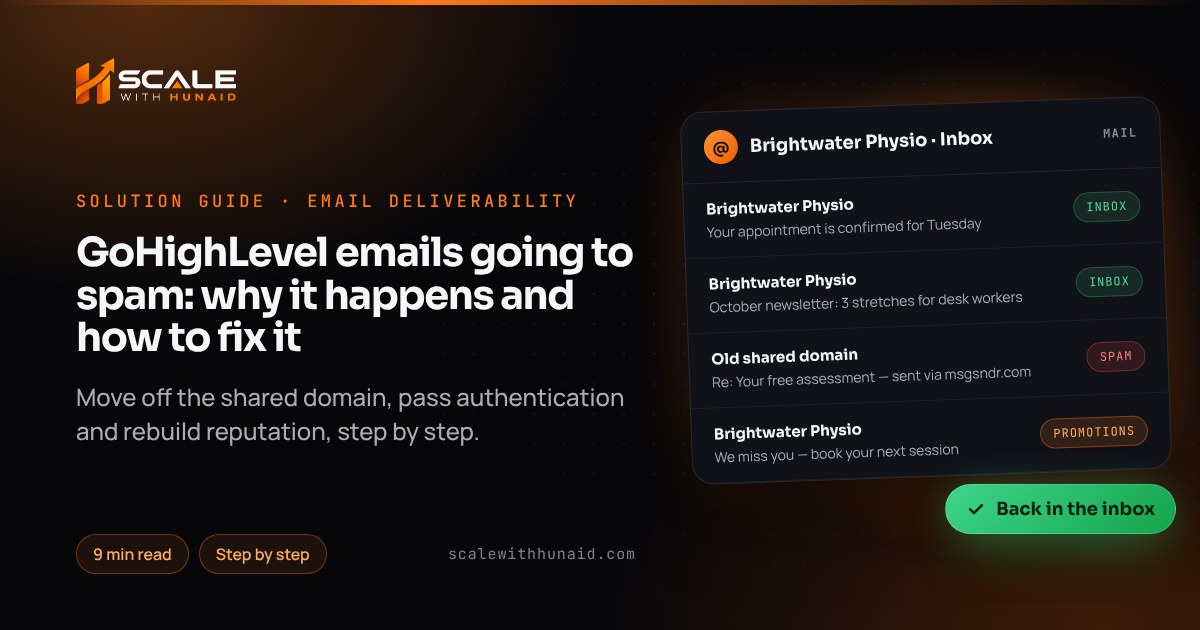
When a sub-account has no dedicated domain, LC Email sends through shared infrastructure. HighLevel says that on a shared domain it rewrites the actual sending address to a plus-address under msgsndr.com, and recipients see that address. A dedicated domain sends with your exact From address. On a shared domain your reputation is mixed with every other sender on it, and the From address your contacts see isn’t yours.
Fix: set up a dedicated sending subdomain.
- In the sub-account, go to Settings → Email Services → Dedicated Domain and IP and click Add Domain.
- Enter a subdomain such as
mail.yourbusiness.com. HighLevel recommends a subdomain. If your root domain already sends and receives mail through Google Workspace, you must use one, because LC Email’s MX records would clash with your mailbox. - If your DNS provider is supported, authorise the automatic setup. Otherwise copy each record into your DNS manually. HighLevel’s Google guide lists five in total — two TXT, two MX and one CNAME — but always use the list on your own screen.
- In the Host field, type only the prefix (
mail, notmail.yourbusiness.com). Add every record before you save. - On Cloudflare, set each record to DNS only (grey cloud). HighLevel says proxied email records cause verification to fail.
- Click Verify. If HighLevel says the domain already points to an email server, remove the old MX and SPF records on that subdomain and try again.
- Set the sub-account’s From address to an address on the new domain, such as
[email protected]or the root, depending on what your screen offers.
Cause 2: SPF, DKIM or DMARC is missing or misaligned
Since 2024, Google requires every sender to have SPF or DKIM. Bulk senders — more than 5,000 messages a day to Gmail — need SPF, DKIM and DMARC, with the From domain aligned to SPF or DKIM. Yahoo’s rules are much the same. Google also says that from November 2025 it is ramping up enforcement on non-compliant mail. Mail that used to land in spam can now be rejected outright. If you see bounces, my guides to Gmail’s 550 5.7.26 and Outlook’s 550 5.7.515 cover those errors.
Fix:
- In Settings → Email Services → Dedicated Domain and IP, click Verify next to your domain and note any record that fails.
- SPF: keep exactly one SPF TXT record per name. HighLevel warns that SPF allows a maximum of 10 DNS lookups. Two records, or too many
include:entries, cause a permerror. Merge them into one. - DKIM: add the record with the selector and public key HighLevel shows, exactly as given. Don’t add a second DKIM record for the same selector.
- DMARC: add one TXT record with host
_dmarcand the valuev=DMARC1; p=none; rua=mailto:[email protected]. This is the monitoring start point HighLevel’s authentication guide gives. A DMARC record on the root covers subdomains, and more than one DMARC record makes authentication fail. - Wait for DNS to update (HighLevel allows up to 24 hours), click Verify again and repeat the Gmail Show original check from Step 1.
- After two to four weeks of clean reports, tighten to
p=quarantine. HighLevel’s articles show bothp=noneandp=rejectas examples. I would only move to reject once the reports show nothing legitimate failing.
Cause 3: your domain reputation is damaged
If everything passes and mail still goes to spam, mailbox providers don’t trust the domain. HighLevel says providers start filtering aggressively when complaints pass roughly 0.3% or bounces creep above 5%. Google’s guidelines ask you to keep the user-reported spam rate below 0.10% and never reach 0.30%. Senders above 0.3% can’t get mitigation help until they have stayed below it for seven days in a row.
If your Email Statistics are below these numbers, fix reputation before sending more.
Fix:
- Verify the domain in Google Postmaster Tools and check the spam rate daily. Google says Compliance status changes can take up to seven days to show.
- Check your sending domain and IP against public blocklists (MXToolbox is one free checker). HighLevel’s reputation guide says removal requests take from 24 hours to seven days.
- For two to four weeks, send only to contacts who opened or clicked in the last 30–60 days. Pause cold re-engagement blasts.
- Raise volume only while opens hold up and the spam rate stays under 0.10%.
- If the domain has been burnt for months, HighLevel’s sending guide says a new subdomain is generally better than trying to repair it. Set one up as in Cause 1 and warm it up properly.
Warm up a new domain the way HighLevel measures it
HighLevel’s fixed-stage warm-up model starts a dedicated domain at 1,000 emails a day and steps up to 250,000 a day at Stage 15. A domain only moves up once it reaches its current daily limit, and a missed day pauses progress rather than resetting it. HighLevel puts the full warm-up at up to about four weeks.
- Week 1: send to your newest leads and best customers — the people most likely to open.
- Use the campaign Batch (Drip) option, or a workflow Drip action, to spread large sends instead of releasing them all at once.
- Keep volume steady day to day. Sudden spikes are a spam signal.
- Don’t import an old list and blast it in week one.
Cause 4: your list is old, bought or full of bad addresses
Bounces and spam complaints come from the list, not the software. Old exports, purchased lists and contacts who never asked for email are the usual sources.
Fix:
- In Contacts, filter for hard-bounced emails and remove them, or tag them so they are excluded from every send.
- Build a smart list of contacts with no opens or clicks in 90+ days. HighLevel’s reputation guide suggests removing these, along with role addresses such as
info@andadmin@. - Send the 90-day group one re-permission email (“Do you still want to hear from us?”), then suppress anyone who doesn’t click.
- On new forms, add a clear consent line and, for newsletters, a double opt-in confirmation email.
- Never upload a purchased list into LC Email.
Cause 5: content, links or unsubscribe problems
Once authentication and reputation are sound, content tips the balance. HighLevel names link shorteners, heavy promotional wording and sudden send spikes as red flags. Gmail and Yahoo also require easy unsubscribing for marketing mail.
Fix:
- Unsubscribe: HighLevel says it adds a one-click unsubscribe header to every email except one-to-one messages, but the body still needs a visible link. Keep the default footer link on, or put the
{{unsubscribe}}tag in every template. HighLevel requires one or the other. - Links: remove bit.ly and similar shorteners and link to your own domain.
- Tracking: HighLevel wraps tracked links in a redirect on your dedicated domain, and its SSL certificate covers the tracking, open, click and unsubscribe links. If links break or show security warnings, go to Dedicated Domain and IP and click Verify Now.
- Copy: write like a person — a plain subject line, one main link, a short body, more text than images, and your business address in the footer.
- Consistency: keep the same sender name and From address on every send.
Mistakes to avoid
- Adding a second SPF or DMARC record instead of editing the existing one. Both break authentication.
- Setting the root domain as the LC Email domain when Google Workspace or Microsoft 365 already handles your mail on it.
- Jumping straight to
p=rejectbefore you know every service that sends as your domain. - Blasting an old list on a new domain in its first week.
- Turning off the footer unsubscribe link without adding
{{unsubscribe}}to templates. - Editing DNS at the registrar when your nameservers point elsewhere. My guide to a GoHighLevel domain not connecting shows how to find the live DNS provider.
Get your GoHighLevel emails back in the inbox
GoHighLevel emails going to spam is fixable. Move to a dedicated subdomain, make authentication pass and align, then rebuild reputation with a clean list and steady volume. If you would rather hand it over, I set up sending domains, DNS, DMARC monitoring and warm-up plans as part of email and SMS deliverability. I can also tidy the workflows that send the emails as part of GoHighLevel CRM setup. If texts are being filtered too, read my guide to GoHighLevel SMS error 30007.

References
- Why Your Emails Go to Spam and How to Fix It in HighLevel — HighLevel Support Portal
- How to Set Up a Dedicated Sending Domain (LC Email) — HighLevel Support Portal
- Google Dedicated Sending Domain Setup (LC Email) — HighLevel Support Portal
- Email Authentication Errors - Fix SPF, DKIM, and DMARC Issues — HighLevel Support Portal
- Email Sending Guide: Email Best Practices & Email Warm Up — HighLevel Support Portal
- Domain Warmup in HighLevel: Fixed-Stage Model Guide — HighLevel Support Portal
- Low Domain Reputation - Rebuild Trust and Improve Deliverability — HighLevel Support Portal
- Achieving Compliance: Meeting Google and Yahoo’s Email Sender Requirements — HighLevel Support Portal
- How to Set Up Unsubscribe Links for LC Email — HighLevel Support Portal
- How to Track Email Engagement for LC Email — HighLevel Support Portal
- SSL Certificates for Dedicated LC Email Domains — HighLevel Support Portal
- ESP Block Monitoring and Email Enforcement — HighLevel Support Portal
- Email sender guidelines — Google Gmail Help
- Email sender guidelines FAQ — Google Gmail Help
- Postmaster Tools dashboards — Google Gmail Help
- Sender Best Practices — Yahoo Sender Hub
- RFC 8058: Signaling One-Click Functionality for List Email Headers — IETF